mirror of
https://github.com/SteamDeckHomebrew/decky-loader.git
synced 2026-10-05 03:18:27 +00:00
 tza
30325397d0
tza
30325397d0
Tile views will now run each in their own iframe. This makes it more safe as plugins no longer share the same javascript context, and plugin method calls can now be supported from the tile view.
Plugin Loader 
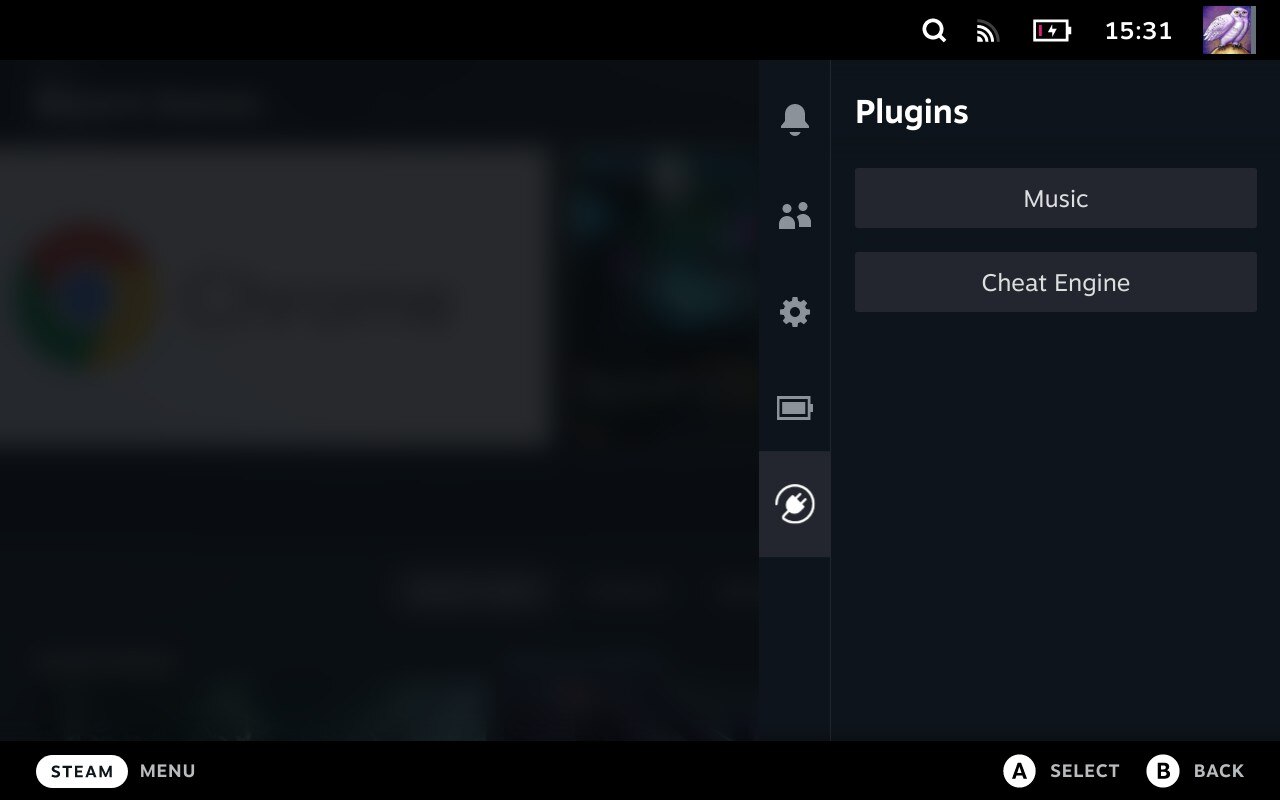
Installation
- Go into the Steam Deck Settings
- Under System -> System Settings toggle
Enable Developer Mode - Scroll the sidebar all the way down and click on
Developer - Under Miscellaneous, enable
CEF Remote Debugging - Click on the
STEAMbutton and selectPower->Switch to Desktop - Open a terminal and paste the following command into it:
curl https://werwolv.net/dist/steamdeck/plugin_loader_release.php | sh - Done! Reboot back into Gaming mode and enjoy your plugins!
Install Plugins
- Simply copy the plugin's .py file into
~/homebrew/plugins
Features
- Clean injecting and loading of one or more plugins
- Persistent. It doesn't need to be reinstalled after every system update
- Allows 2-way communication between the plugins and the loader.
- Allows plugins to define python functions and run them from javascript.
- Allows plugins to make fetch calls, bypassing cors completely.
Caveats
- You can only interact with the Plugin Menu via touchscreen.
Credit
The original idea for the concept is based on the work of marios8543's steamdeck-ui-inject project.